EUR
EUR USD
USD GBP
GBP CAD
CAD AUD
AUD HKD
HKD JPY
JPY KRW
KRW SGD
SGD NZD
NZD THB
THB TWD
TWD 繁體中文
繁體中文 日本語
日本語 한국어
한국어 ไทย
ไทย Français
 Español
 Deutsch
 Português
 italiano
 Nederlands
 English

UnBlockTech UBOX 12 Review 2026: A Deep Dive Into the Global Android TV Box!

Looking for a powerful Android TV Box that brings live TV, movies, sports, news, and entertainment together in one device? In this comprehensive UnBlockTech UBOX 12 review, we take a closer look at the UBOX 12, also known as the U12, and explore its hardware, setup experience, voice remote, streaming features, portability, and overall user experience.
As streaming services continue to expand in 2026, many viewers are subscribing to multiple platforms just to access the content they want. One service may have movies, another may focus on sports, while another offers international TV channels or regional programming.
This has created a common problem: too many subscriptions and too many apps to manage.
The UnBlockTech UBOX 12 takes a different approach by bringing a wide range of entertainment features into a single Android TV Box. Whether you are interested in international live TV, movies, sports, news, or on-demand content, the UBOX 12 is designed to provide a convenient all-in-one entertainment experience.
So, is the UBOX 12 worth considering in 2026? Let's take a closer look.
What Is the UnBlockTech UBOX 12?
The UnBlockTech UBOX 12 is a next-generation Android TV Box designed for home entertainment, international streaming, live TV, movies, sports, and on-demand video.
Instead of relying on a single streaming platform, the UBOX 12 combines multiple entertainment functions within one compact device.
It is particularly appealing to users who:
- Want access to international entertainment
- Watch live TV and news from different regions
- Enjoy movies and on-demand content
- Follow international sports
- Prefer a single entertainment device
- Travel frequently and want a portable TV solution
- Want to reduce the number of streaming apps they need to manage
The UBOX 12 is therefore more than a traditional streaming stick. It is positioned as a global Android TV Box for a wide range of entertainment needs.
Unblock Tech UBOX 12 Hardware and Design
A Modern Alternative to the Traditional Black TV Box
Many Android TV Boxes look almost identical, with a basic black plastic design.
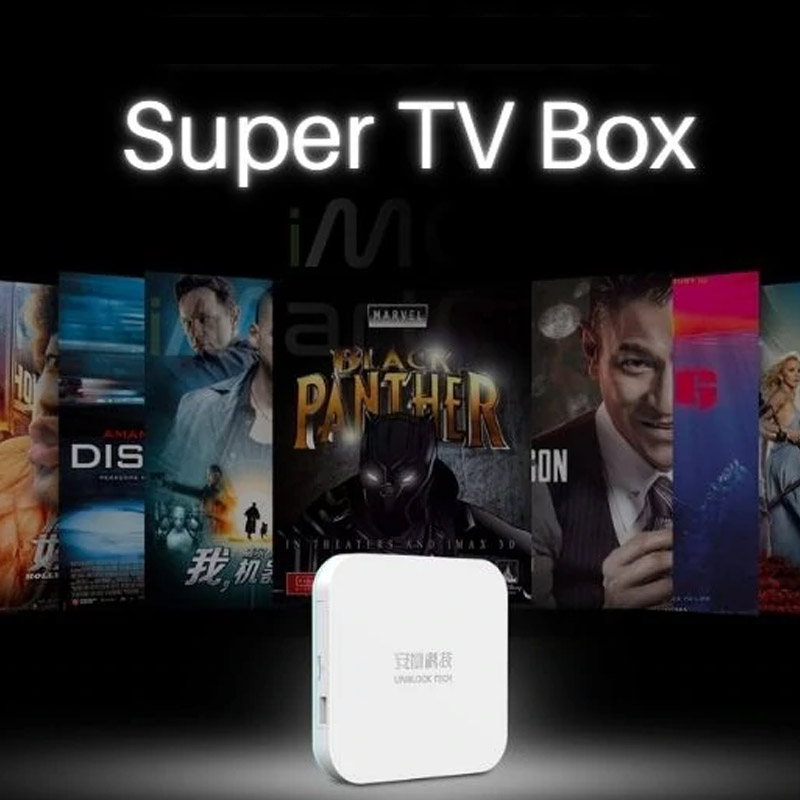
The UBOX 12 takes a different approach with its clean white exterior.
The minimalist design looks modern and fits easily into most home entertainment setups. The device also feels solid and well-built when handled, giving it a more premium impression than many entry-level TV boxes.
For users who prefer a clean entertainment center, the compact design makes it easy to place the UBOX 12 next to a TV, on a media cabinet, or in another convenient location.
The rear design also makes it possible to position the device discreetly behind a television when desired.
UBOX 12 Specifications
The UBOX 12 provides a hardware configuration designed for everyday streaming and entertainment.
Key specifications include:
- Processor: 8-core processor
- RAM: 4GB
- Storage: 64GB
- Wireless: Wi-Fi 6
- Wired connection: Ethernet
- Video output: Up to 6K
- Ports: USB, Micro SD, HDMI, AV, and power connection
The combination of 4GB RAM and 64GB storage provides enough space for apps and everyday entertainment use, while Wi-Fi 6 provides a modern wireless connection for compatible networks.
For users who prefer a wired connection, the Ethernet port provides another option for a more stable network connection.
AI Voice Remote: Faster and Easier Searching
One of the most useful accessories included with the UBOX 12 is its AI Voice Remote.
Typing movie titles, TV programs, or app names with a traditional remote can be frustrating. Voice search makes the process much easier.
Instead of entering every letter manually, users can simply use voice commands to search for content.
The remote is responsive and comfortable for everyday navigation, making it easy to:
- Search for movies
- Find TV programs
- Open apps
- Navigate menus
- Search for entertainment content
The UBOX 12 package also includes a mini wireless keyboard, which can be useful when entering longer text or account information.
For everyday TV viewing, however, the AI voice remote is likely to be the accessory most users reach for.
UBOX 12 Setup: Is It Easy to Install?
One of the biggest advantages of a modern Android TV Box is simple installation.
The initial UBOX 12 setup is straightforward.
Simply connect the device to your TV using HDMI, connect it to power, and connect it to the internet through Wi-Fi or Ethernet.
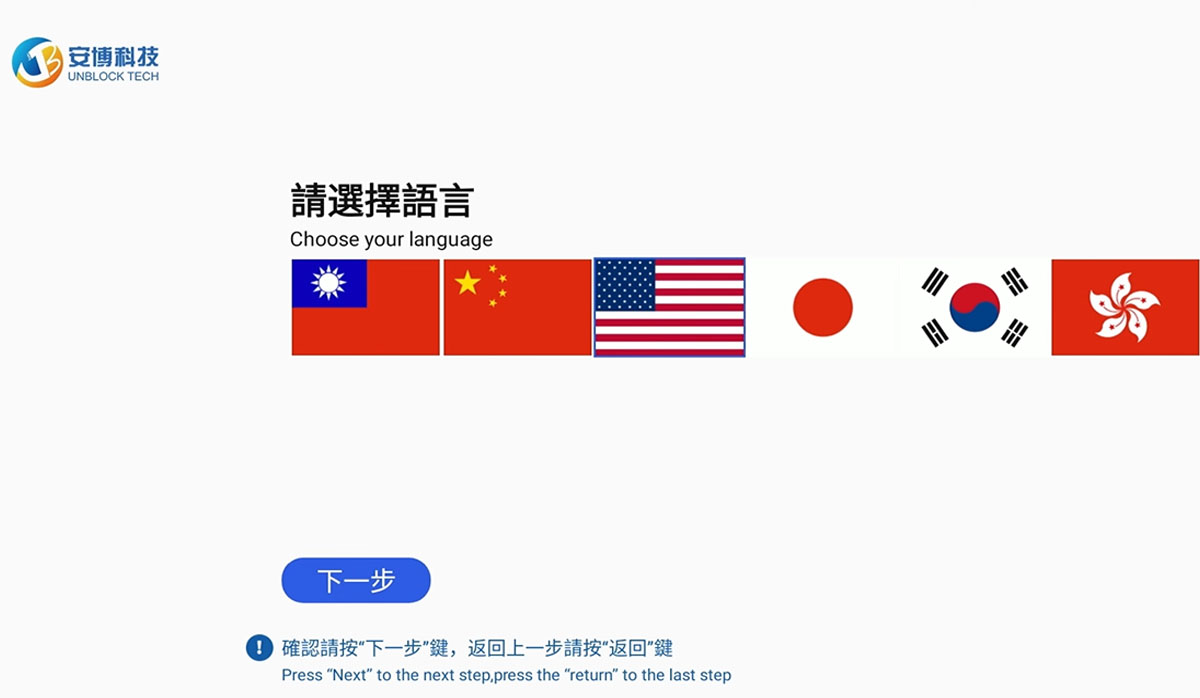
During the initial setup, users can select their preferred system language and configure their network connection.
Basic setup steps:
- Connect the UBOX 12 to your TV
- Connect the power adapter
- Select the system language
- Connect to Wi-Fi or Ethernet
- Adjust the display settings
- Complete the initial Android setup
- Start using the UBOX 12 home screen
Once setup is complete, users are presented with a categorized home interface that makes it easier to find different entertainment functions and applications.
UBOX 12 Entertainment Features
Hardware is only part of the TV Box experience.
For most users, content and usability are equally important.
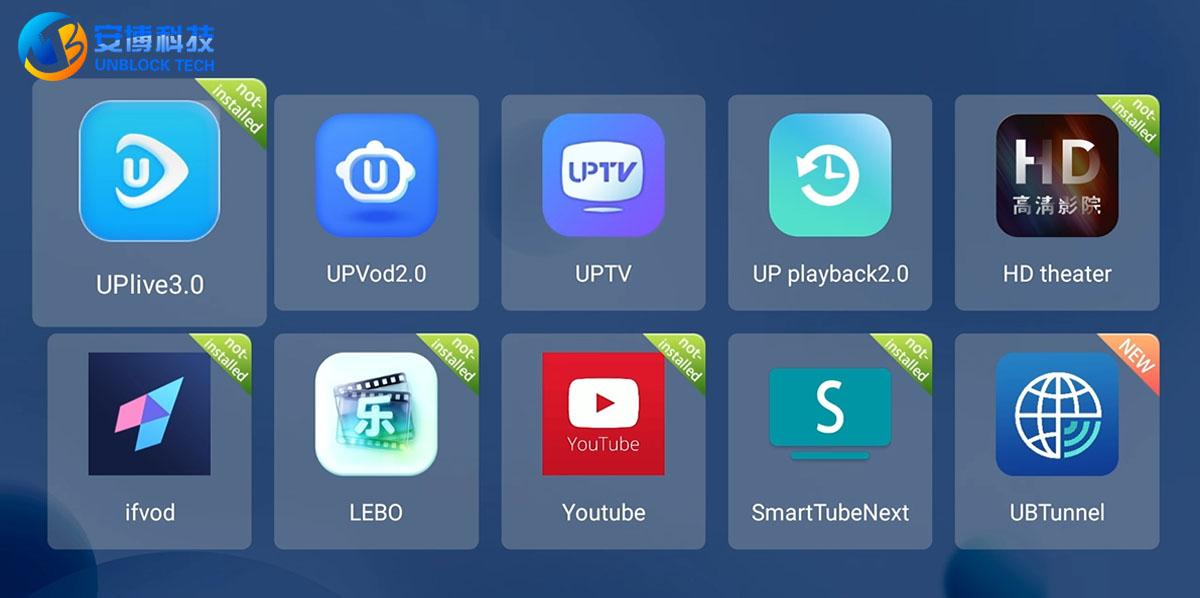
The UBOX 12 ecosystem includes several UP applications designed for different types of entertainment.
These include:
- UP Live
- UP VOD
- UP TV
- UP Playback
Each application focuses on a different type of content, allowing users to move between live TV, video-on-demand, television programming, and playback functions.
Global Live TV and International News
One of the key attractions of the UBOX 12 is its focus on international entertainment.
Through the live TV experience, users can explore programming from different regions.
This can be especially useful for:
- International families
- Overseas residents
- Travelers
- Multilingual households
- Viewers interested in international news
- Users who want access to programming from their home region
For example, people living overseas may want to continue watching familiar Chinese-language entertainment, while other users may prefer international news and programming from different countries.
The UBOX 12 brings these types of entertainment experiences together in one device.
Channel availability can vary by region and may change based on content licensing and service updates.
UBOX 12 for Sports Fans
Sports is another important part of the modern streaming experience.
Different sports leagues and competitions are often distributed across different platforms, which can make it difficult for viewers to find the games they want.
The UBOX 12 provides access to a range of sports-related content and international programming, making it an interesting option for sports fans.
Depending on the available content in your region, users may find programming related to sports such as:
- Football
- Basketball
- Baseball
- International sporting events
- Sports news and programs
For viewers who regularly follow international sports, having sports-related content available alongside movies and live TV can make the overall entertainment experience more convenient.
As always, specific channels, programs, and availability may vary by region and content rights.
UBOX 12 VOD: Movies From New Releases to Classics
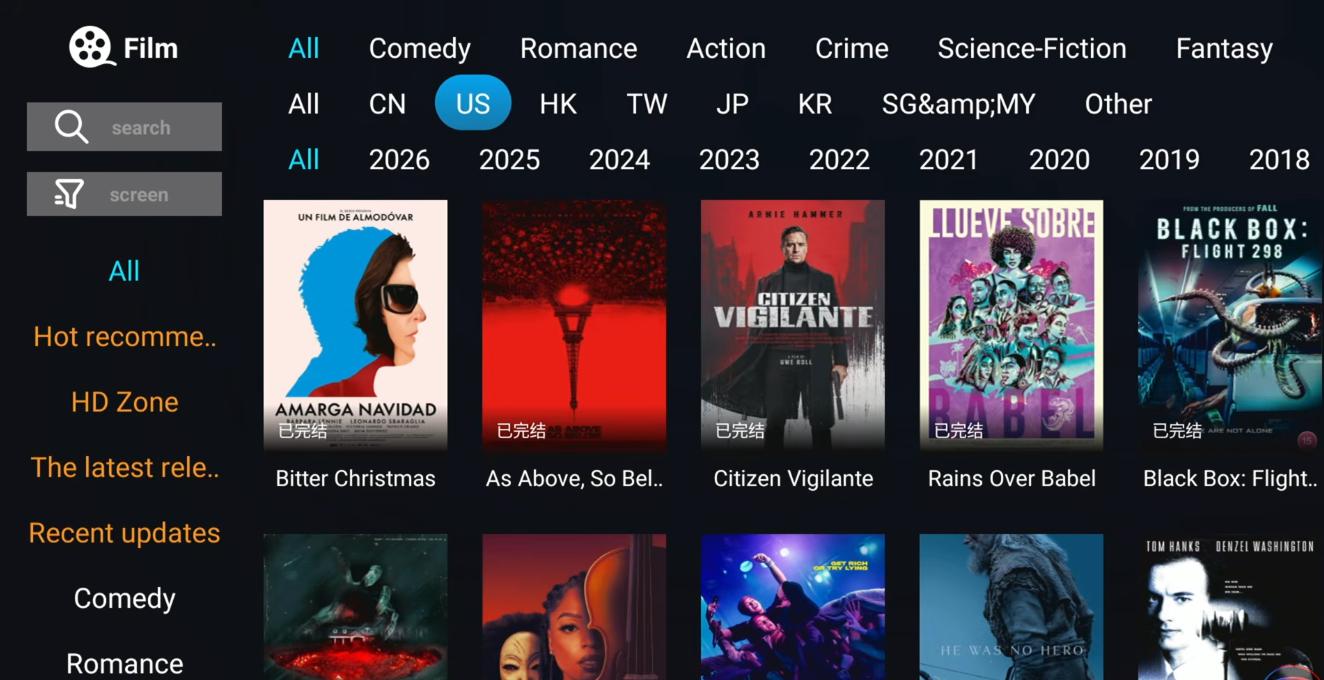
The Video on Demand (VOD) experience is another major feature of the UBOX 12.
Rather than waiting for a scheduled broadcast, users can browse available movies and entertainment content whenever they want.
The VOD library includes different genres and a mixture of newer titles and older favorites.
Depending on availability, users can browse categories such as:
- Action
- Comedy
- Romance
- Crime
- Drama
- Classic movies
The search function also makes it easier to find a specific title.
For movie lovers, this creates a simple way to browse entertainment without constantly switching between different applications.
UBOX 12 Performance: Fast Navigation and Smooth Operation
A TV Box can have impressive specifications, but if the interface is slow, the overall experience can quickly become frustrating.
One of the positive aspects of the UBOX 12 is its responsive user experience.
Menus open quickly, applications launch without unnecessary waiting, and channel navigation feels responsive during everyday use.
This is particularly important for users who spend several hours watching TV every day.
A fast interface makes a noticeable difference when:
- Switching between channels
- Opening applications
- Searching for movies
- Navigating menus
- Returning to the home screen
Overall, the UBOX 12 provides a smooth and responsive experience for everyday entertainment.
UBOX 12 Language Support
The UBOX 12 supports multiple languages, making it suitable for users in different markets.
However, users should be aware that some system menus or sub-pages may still display Chinese even after changing the primary system language.
For English-speaking users, this may require a short adjustment period during the initial setup.
The main functions remain relatively straightforward to navigate, and users can select their preferred language during system configuration.
For an international product, further localization of every system menu would make the experience even better for users who do not read Chinese.
Take the UBOX 12 With You: A Portable Entertainment Solution
Another advantage of the UBOX 12 is its compact size.
Unlike traditional home entertainment equipment, a TV Box can easily be packed into a suitcase or backpack.
This makes the UBOX 12 useful for:
- Hotel stays
- Business trips
- Family vacations
- Long-term travel
- RV trips
- Second homes
As long as you have a compatible TV and a reliable internet connection, you can take your entertainment setup with you.
For frequent travelers, this portability can be a major advantage.
UBOX 12 Pros
After looking at the hardware, software, content, and user experience, here is a quick summary.
1. Wide Range of Entertainment
The UBOX 12 combines live TV, movies, news, sports, VOD, and other entertainment functions in one device.
2. AI Voice Remote
Voice search makes finding movies, TV programs, and applications much faster than typing with a traditional remote.
3. Solid Build Quality
The white chassis gives the UBOX 12 a clean, modern appearance and a solid feel.
4. Responsive User Interface
Fast navigation, app loading, and channel switching contribute to a more enjoyable everyday experience.
5. Portable Design
Its compact size makes it convenient to take on trips, vacations, and business travel.
6. One-Time Hardware Purchase
For users who want to reduce the number of recurring entertainment subscriptions they manage, a one-time hardware purchase can be an attractive option. Content availability and third-party services may have their own terms and requirements.
UBOX 12 vs. Traditional Streaming Sticks
So, how does the UBOX 12 compare with a traditional streaming stick?
The answer depends on what you need.
If your main goal is simply watching mainstream applications such as Netflix or YouTube, a basic streaming stick may be sufficient.
However, the UBOX 12 is aimed at users looking for a broader entertainment experience.
The UBOX 12 may be a better fit if you:
- Want international TV content
- Enjoy live TV and news
- Follow international sports
- Watch movies and VOD content
- Have a multilingual household
- Travel frequently
- Want a compact entertainment device
- Prefer managing more entertainment functions from one TV Box
Rather than focusing on a single streaming platform, the UBOX 12 is designed as a broader global Android TV Box.
Is the UnBlockTech UBOX 12 Worth Buying in 2026?
The answer depends largely on your viewing habits.
If you only use one or two mainstream streaming services, you may not need a feature-rich TV Box.
But if you are looking for a device that combines international entertainment, live TV, movies, sports, news, VOD, voice search, and portable usability, the UBOX 12 is certainly worth considering.
Its combination of 4GB RAM, 64GB storage, Wi-Fi 6, Ethernet connectivity, AI voice control, and support for up to 6K video output makes it a capable entertainment device for modern home setups.
The biggest appeal, however, is not simply the hardware.
It is the idea of having one compact device for a wider range of entertainment needs.
A Versatile Global TV Box for 2026
The streaming market has changed dramatically over the past few years.
Instead of relying on a single platform, viewers now have dozens of services competing for their attention. Movies, TV shows, sports, news, and international programming are often distributed across different services.
The UnBlockTech UBOX 12 takes a different approach by bringing a broad range of entertainment functions into one compact Android TV Box.
From its modern white design and AI Voice Remote to its responsive interface, international live TV, VOD movies, sports content, and portable form factor, the UBOX 12 offers a versatile entertainment solution for 2026.
For international viewers, overseas families, frequent travelers, sports fans, movie lovers, and anyone looking for a more centralized home entertainment experience, the UBOX 12 is a TV Box worth taking a closer look at.
Streaming Beyond Boundaries
One TV Box. More entertainment possibilities. Less switching between devices.
Discover what the UnBlockTech UBOX 12 can bring to your home entertainment setup in 2026.